
What is Biodata for Marriage?
A marriage biodata is a one-page profile you share with prospective matches and their families. It includes your personal details, family background, education, job, and partner expectations.
In Marathi, biodata is called बायोडाटा (bayodata). A marriage biodata is लग्नाचा बायोडाटा (lagnacha biodata) or विवाह बायोडाटा (vivah biodata).
Think of it as your introduction before the first meeting. It tells families who you are, where you come from, and what you're looking for in a partner. A good biodata opens doors. A poorly made one gets ignored.
Why You Need a Professional Biodata
First impressions matter. A well-formatted biodata shows you're serious about marriage. Families notice clean layouts, complete information, and professional presentation.
When families receive dozens of biodatas, yours needs to stand out. Not with flashy colors or fancy fonts - but with clarity, completeness, and respect for tradition. Our templates help you make that impression.
Why Choose Our Biodata Maker
Hundreds of biodata makers exist online. Here's why people choose ours:
- No signup required: Start creating immediately. No email verification, no password to remember.
- Mobile-friendly: Works perfectly on phones. Most competitors force you to use a desktop.
- Marathi language support: True Marathi fonts and proper formatting. Not just English text translated.
- Multiple download formats: Get image, PDF, and Word - all included. Others charge separately.
- Privacy focused: Your data stays on your device. We don't store or sell your information.
- One-time payment: No subscriptions. Pay once, download forever.
How to Create Your Marathi Biodata
You can create your biodata in three simple steps:
- Pick a template that matches your style - traditional, modern, or minimal
- Fill in your details - personal info, family, education, job, and partner expectations
- Download as PDF or Word - get all three formats with one purchase
Most people finish in under ten minutes. Have your gotra, nakshatra, and employer details ready before you start. That's where most people slow down.
You can preview your biodata for free before downloading. Test different templates. See what looks best. Pay only when you're satisfied.
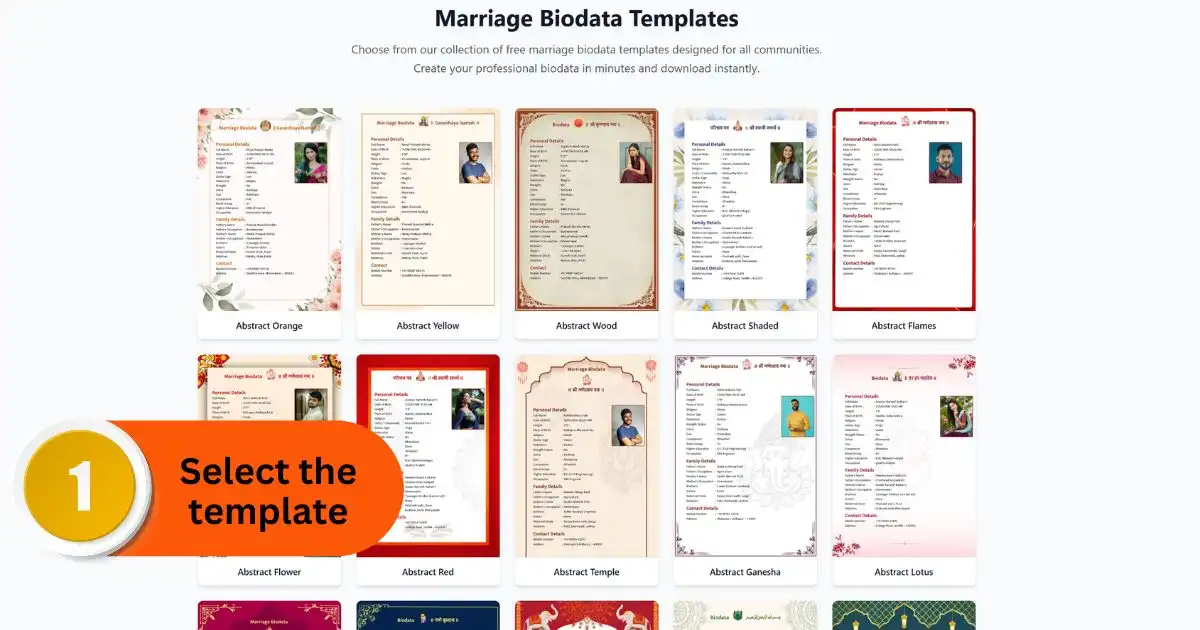
Step 1 · Select the Template
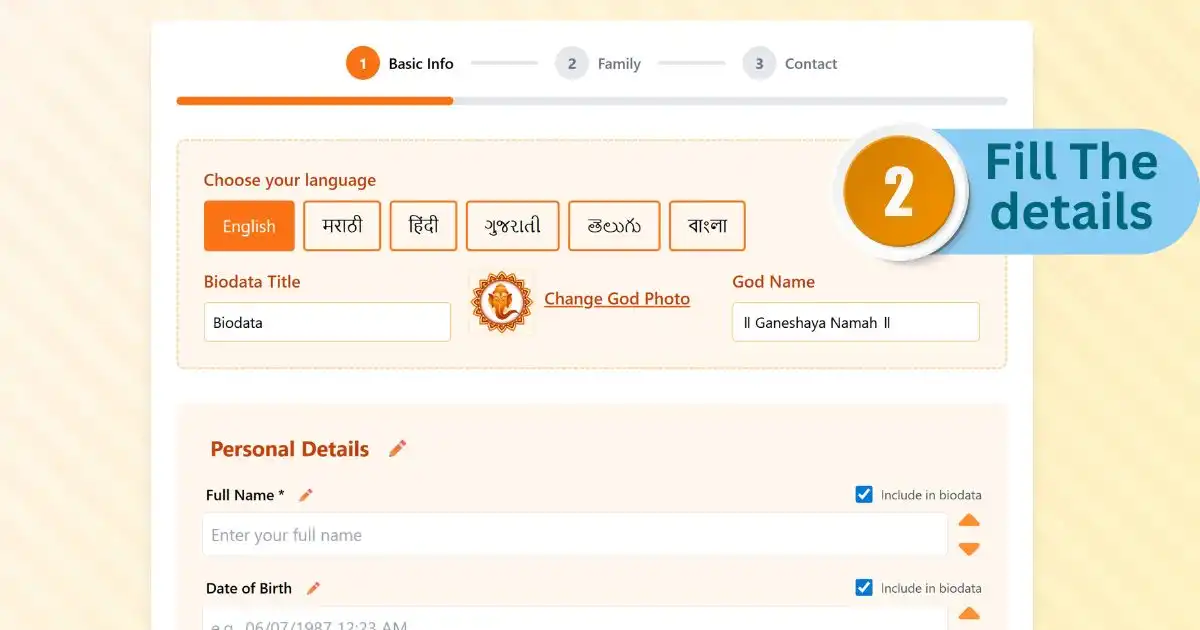
Step 2 · Fill Your Details
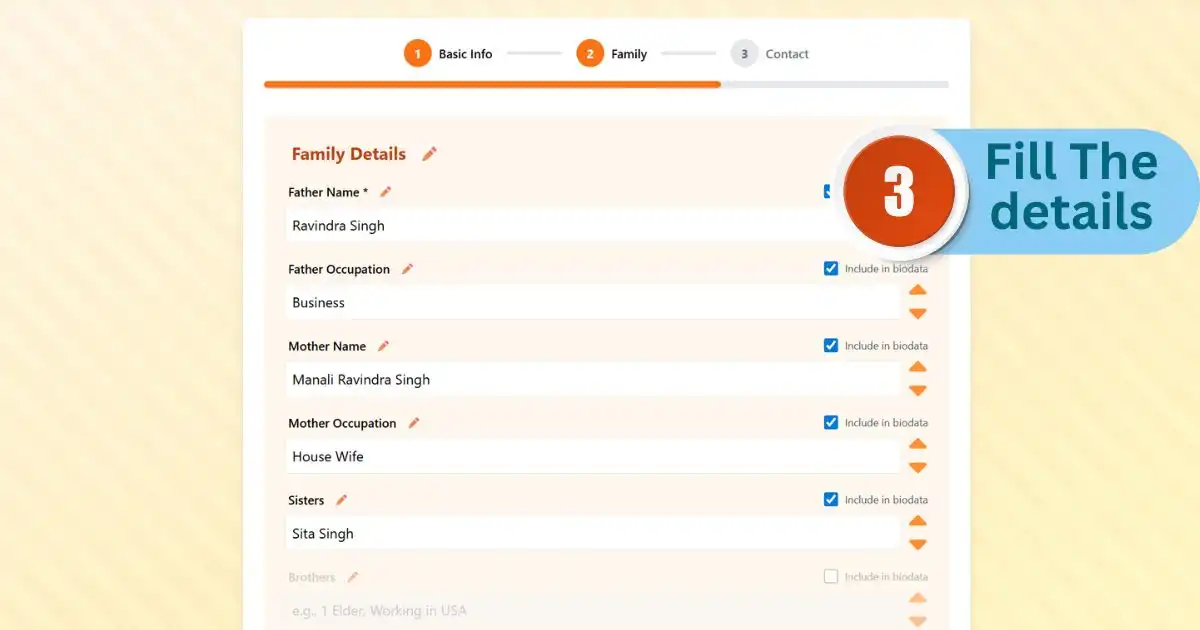
Step 3 · Add Family Details
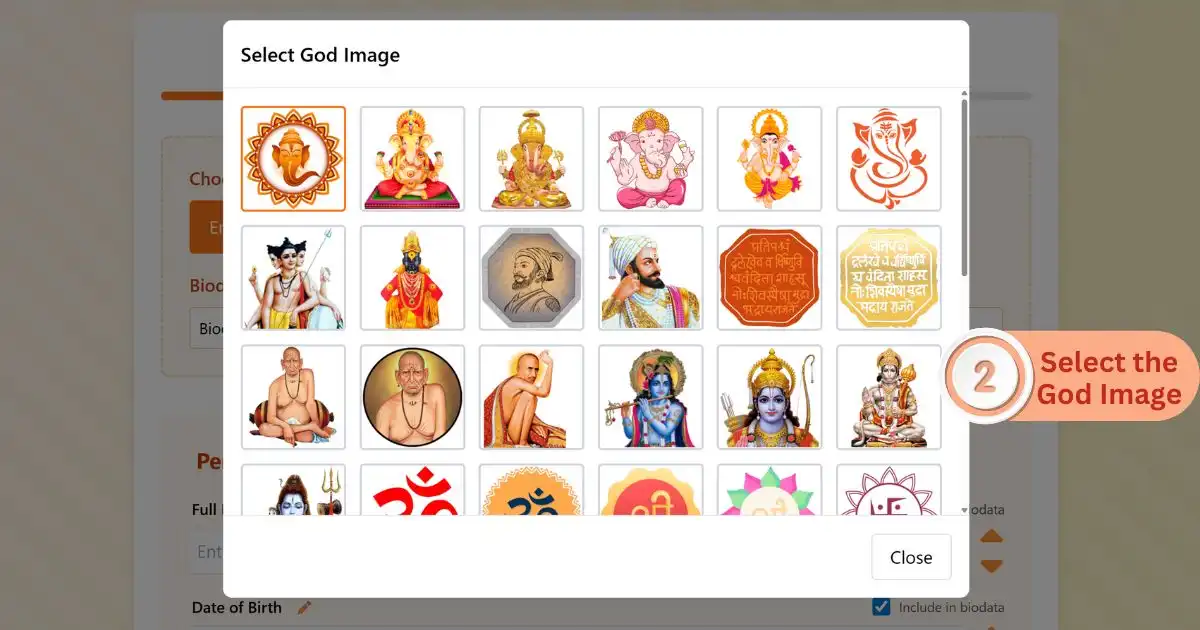
Step 4 · Choose God Image
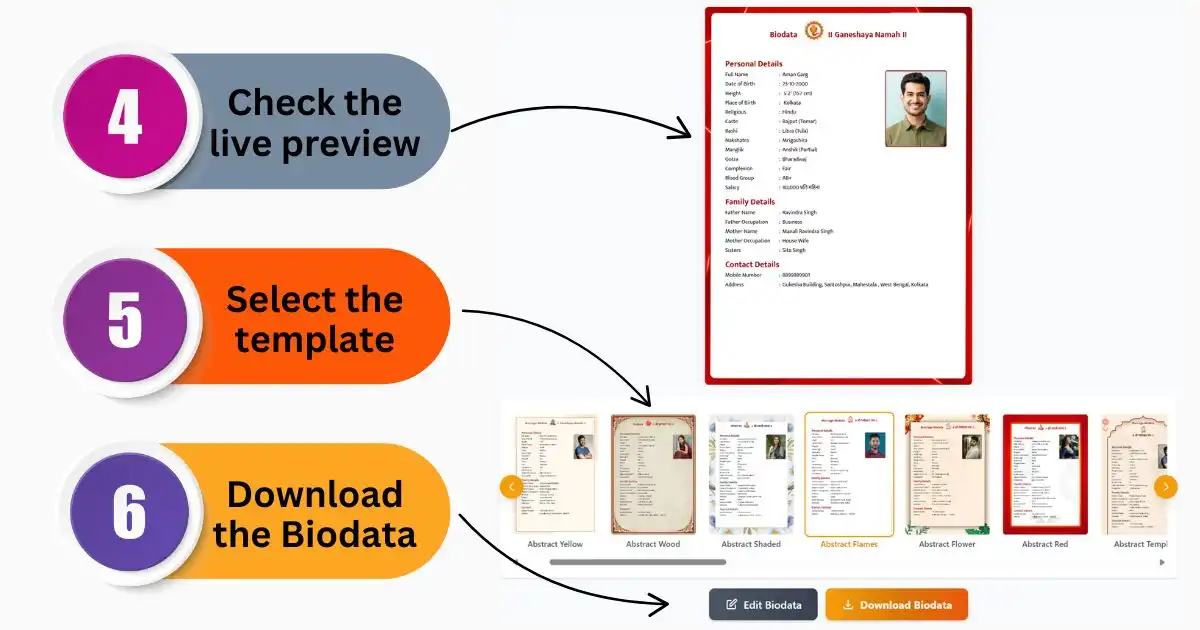
Step 5 · Preview & Download
What Details to Include in Your Biodata
Your Marathi marriage biodata should include these essential details:
- Personal details: Full name, birth date, birth time, birth place
- Astrological info: Rashi, nakshatra, gotra, manglik status
- Family background: Father's name and occupation, mother's name and occupation, number of siblings
- Education: Highest degree, college name, year of completion
- Job details: Current position, company name, annual income
- Physical attributes: Height, complexion, blood group
- Your photo: Recent, clear, professional-looking
- Partner expectations: Age range, education, job type, family values
- Contact details: Phone number, email, address
Avoid leaving fields blank. Families notice incomplete biodatas. If something doesn't apply to you, write "Not applicable" instead of leaving it empty.
Be honest about everything. Exaggerating your height or income creates problems later. Families verify details before finalizing matches.
Biodata Format Options
We offer multiple formats to match different preferences and family traditions:
Traditional Format: Classic layout with decorative borders. Works well for families who prefer conventional designs. Includes space for horoscope details and family lineage.
Modern Format: Clean, minimal design. Suits urban professionals and families who prefer contemporary looks. Focuses on education and career achievements.
Elegant Format: Balanced approach between traditional and modern. Professional yet respectful of customs. Most popular choice.
All templates are available in both Marathi and English. You can switch languages anytime during creation. Some families prefer bilingual biodatas - we support that too.
Download Formats Available
You can download your biodata in three formats:
- HD Image (JPG): Perfect for WhatsApp sharing and social media. High resolution, looks sharp on all screens.
- PDF: Best for printing and email attachments. Maintains formatting across all devices. Can't be edited accidentally.
- Word (DOCX): Editable format. Make quick changes without recreating the entire biodata. Works in Microsoft Word and Google Docs.
All three formats come with your purchase. Download once, use everywhere. No extra charges for different formats.
Free vs Paid Features
You create and preview your biodata completely free. You pay only when you want to download the final version without a watermark.
The free preview lets you test different templates and see exactly how your biodata looks before you commit. Change templates, edit details, preview again - all free.
Once you're happy with the result, pay a small one-time fee to download. No subscriptions. No recurring charges. Pay once, download forever.
Mobile-Friendly Biodata Maker
You can make your biodata on any smartphone. The tool works in your browser - no app download needed. Fill in details, preview, and download right from your phone.
Many people create their biodatas while commuting or during lunch breaks. The mobile interface is simple and fast. Your progress saves automatically, so you can continue later if interrupted.
Tips for a Better Marriage Biodata
Choose the Right Photo
Your photo is the first thing families notice. Use a recent photo where your face is clearly visible. Avoid group photos, selfies, or heavily filtered images.
Dress formally or in traditional attire. Smile naturally. Good lighting matters. If you don't have a suitable photo, get one taken professionally. It's worth the investment.
Be Specific About Partner Expectations
Don't write vague statements like "looking for a good person." Be specific about what matters to you - education level, job type, family values, lifestyle preferences.
But don't create an impossible checklist either. Focus on 3-4 important qualities. Flexibility shows maturity.
Proofread Before Downloading
Spelling mistakes and typos make a bad impression. Check your biodata carefully before downloading. Ask a family member to review it.
Pay special attention to names, dates, and contact details. A wrong phone number means missed opportunities.
Biodata Maker for Different Communities
While this tool focuses on Marathi biodatas, the format works for all communities. Hindu, Buddhist, Jain, Christian - all can use these templates.
Some fields change based on community. Christians might skip gotra and nakshatra. Buddhists might add different religious details. Our tool adapts to your needs.
You can customize any field. Add sections that matter to your community. Remove sections that don't apply. The tool is flexible.
What Happens After You Create Your Biodata
Creating the biodata is just the first step. Here's what to do next:
Print 15-20 copies on good quality paper. Share with close relatives and family friends. They often know suitable matches in their networks.
Register on matrimonial websites. Upload your biodata PDF. Most sites let you attach documents to your profile.
Share the image version on WhatsApp family groups. Keep the PDF ready for email. When someone asks for your biodata, you can send it immediately.
Update your biodata every 6 months. If you change jobs, get a promotion, or your expectations change - create a new version. An outdated biodata creates confusion.
Common Questions About Biodata Making
How long does it take to create a biodata?
Most people finish in under ten minutes. If you have all your details ready - gotra, nakshatra, employer name, salary - you'll be even faster. The tool saves your progress, so you can take breaks if needed.
Can I edit my biodata after downloading?
Yes, if you download the Word format. You can open it in Microsoft Word or Google Docs and make changes anytime. The PDF and image formats can't be edited - they're final versions.
Do I need to create an account?
No. You can create and download your biodata without signing up. We don't ask for your email unless you want to receive your biodata by email.
Is my data safe and private?
Yes. We don't store your personal details on our servers. Your biodata is created in your browser and downloaded directly to your device. We never share your information with anyone.
Can I create multiple biodatas?
Yes. Create as many as you want. Test different templates. Make versions in different languages. Each download is separate - you pay per biodata, not per account.
What if I don't know my nakshatra or gotra?
Ask your parents or check your birth certificate. Some families keep horoscope records. If you still can't find it, consult a local astrologer - they can calculate it from your birth details.
Can I print my biodata at home?
Yes. Download the PDF format and print it on any home or office printer. Use good quality paper for better results. Most people print 10-20 copies to share with relatives and matchmakers.
How do I share my biodata online?
Download the image format for WhatsApp and social media. Download the PDF for email. The image format is smaller in file size and easier to share on messaging apps.